I upgraded my Windows 7 (x64) Ultimate on Toshiba Laptop (Satellite S70 Series) to Windows 10 without using an ISO.
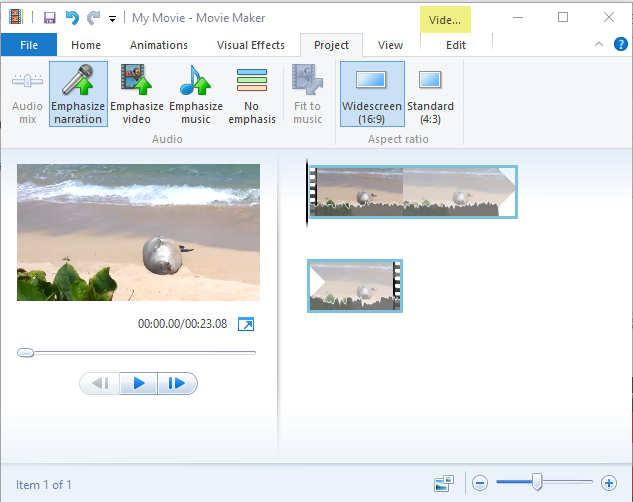
I installed Mail and Movie Maker (1, 2) couple of months ago and at that time I did not install all the programs in Windows Essentials.
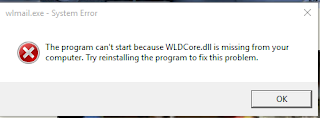
The missing DLL error
When I tried to access the Windows Live Mail app in all Apps as shown here,
 WldcoreDLLError9.png
I would immediately get a missing DLL Error.
 EmailDriverProblem.png
I would also get this error if I try to click on an email link on Microsoft Edge to send the mail.
I looked for this file on the computer as well as in the registry. I could not find the file. It appears to me that if you do not install all the programs in Windows Essentials then you would not have this dll in your computer although Windows Essentials 2012 is on your computer.
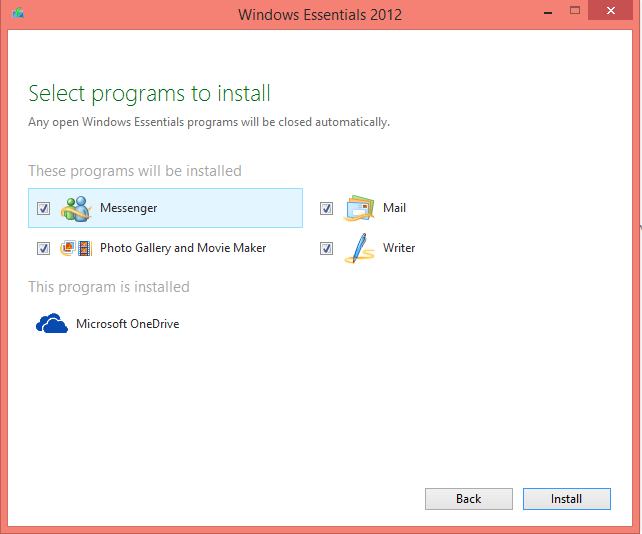
The programs in Windows Essentials2012 are:
 WldcoreDLLError.png
I did find Windows Essentials on my computer (Control Panel | Programs and Features | Programs) .
 WldcoreDLLError6.png
Hence I decided to repair the program by opting to Change rather than Uninstall.
Here are some repair shots:


This fixed the problem and I could start Windows Live Mail without any problems. The wldcore.dll was found in Program Files(x86.
Windows Live Mail has a neat user interface and I may stop using gmail.
I installed Mail and Movie Maker (1, 2) couple of months ago and at that time I did not install all the programs in Windows Essentials.
The missing DLL error
When I tried to access the Windows Live Mail app in all Apps as shown here,
I would immediately get a missing DLL Error.

I would also get this error if I try to click on an email link on Microsoft Edge to send the mail.
I looked for this file on the computer as well as in the registry. I could not find the file. It appears to me that if you do not install all the programs in Windows Essentials then you would not have this dll in your computer although Windows Essentials 2012 is on your computer.
The programs in Windows Essentials2012 are:

I did find Windows Essentials on my computer (Control Panel | Programs and Features | Programs) .
Hence I decided to repair the program by opting to Change rather than Uninstall.
Here are some repair shots:


This fixed the problem and I could start Windows Live Mail without any problems. The wldcore.dll was found in Program Files(x86.
Windows Live Mail has a neat user interface and I may stop using gmail.