This is about a Nokia Icon, a Verizon specific phone. It had Windows
8.0 when purchased and later a Windows Phone 8.1 preview was installed.
When finally Verizon rolled out Windows Phone 8.1, Nokia Icon was
upgraded to Windows Phone 8.1.
Recently Windows 10 Technical Preview for Windows Phone became available. (
http://hodentekmobile.blogspot.com/2015/07/good-news-for-windows-phone-users-and.html)
This post here describes the step-by-step procedure to download and install the preview.
http://hodentekmobile.blogspot.com/2015/07/installing-windows-10-technical-preview.html)
However
it became apparent that the update/install process did not work even
after dozens of trials including soft reset etc. The process would start
and go through the process of installing at the end of which the error
is displayed.
Interested readers may want to follow this link on the Insider's forum:
I seem to satisfy all requirements but I get 0x80070070 error installing Windows Phone 10 Technical Preview on Nokia Icon
The upgrade to Window 10 Technical preview would now involve two steps:
- Recover the original Windows Phone 8.1 to the state it was in when upgraded to Windows Phone 8.1
- Upgrade the phone to the new version namely, Windows 10 Technical
Preview for phones (most likely Windows 10 RTM for Nokia Icon may not be
available well into 2016, if lucky)
The rest of what follows deals with restoring the phone to its original state, the first step.
After
dozens of trials it was decided to restore the Windows Phone to its
original state using the Settings/backup on the Windows Phone which will
backup
1.apps+settings,
2. text messages, and
3.photos/videos.
After
backing up as above the Settings | About| Reset your phone button was
clicked. The Windows Phone displayed the usual warnings about a reset
operation and went into a series of screen changes which involved the
usual screen with 'gears' and sometimes flash of Windows Icon and
sometimes just NOKIA in the center of screen. The reset operation did
not succeed although the Windows Phone was left connected to the AC
mains with the USB cable. After some 14 hours in this state of 'limbo'.
it was decided to use the
'Windows Phone recovery tool' to recover the Windows Phone to the original settings.
The Windows Phone recovry tool was downloaded from here to the laptop:
http://www.softpedia.com/get/Mobile-Phone-Tools/Others/Windows-Phone-Recovery-Tool.shtml
Click Download button on this page to display
Click on External mirror1 and save the file to the laptop or PC.
Double click the tool in its saved location.
Connect
your phone to the PC (in this case a laptop) with the USB Cable. Do not
disconnect or mess with phone till the process is complete. You may
need to push the Volume Low and Power buttons on the Windows Phone
together till it vibrates.
Click on Lumia icon.
The
program is waiting for the phone to be connected. You should really get
the phone to connect by pressing the Volume down and Power down/up
button till you feel the vibrations.
Click on the Install Software button. Another warning and a disclaimer.
Click
Continue. A package will be downloaded and it is a hefty file (1.6GB).
This takes quite a bit of time depending on your Internet connection
speed.
It is better to start with fully charged battery.
Click Next.
The
package installation process begins. The phone selection page is
displayed. If it does not you ma have to press hard the Volume down and
Power buttons together till you feel the vibration.
Click on Lumia 929 (this is Lumia model number for the Nokia Icon).
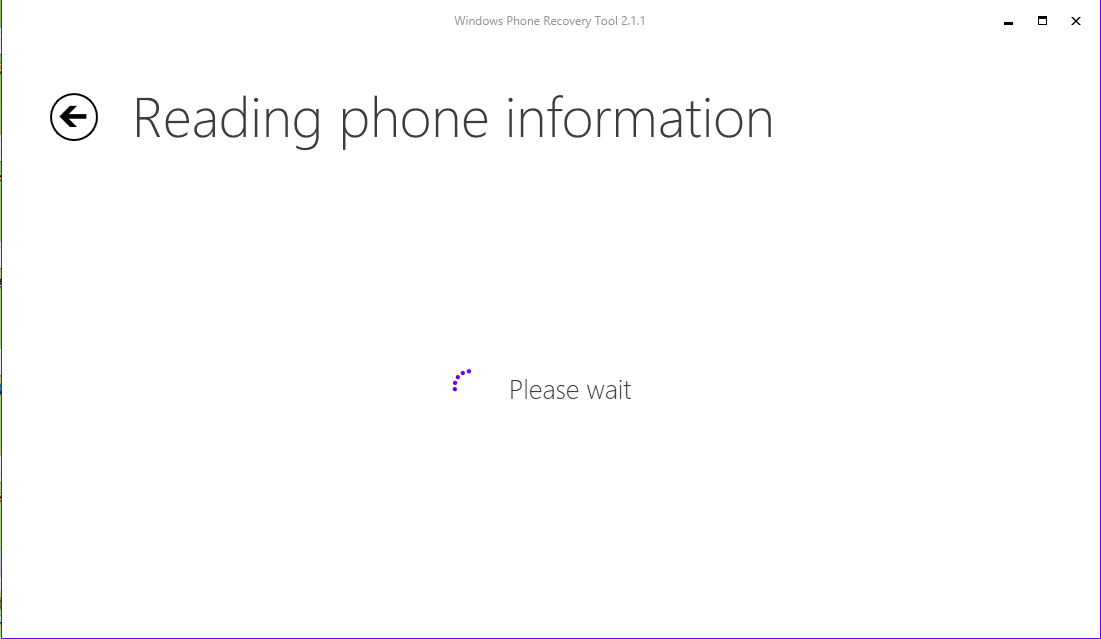
The program will try to read the phone information.
By
this time your phone starts up with Verizon and Windows splash screens
and you will asked to customize. The phone is now restored to the
Windows Phone 8.1 Original.
The
restore agent will pop-up and guides you through restoring the app
settings etc. Your apps, alarms, contacts will all be recovered. The
photos/videos are all gone, perhaps uploaded to the OneDrive. If it was
uploaded to OneDrive, I am not sure which named location it was uploaded
to. Fortunately I had copied all the photos/videos to a 1TB drive.
The version of Windows Phone 8.1 restored was the following: