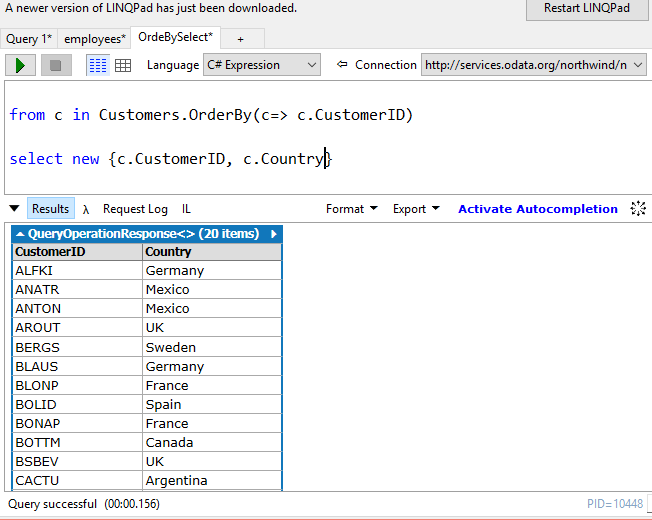
The short answer is yes provided we run our queries in SQL Server 2016.
We have seen in an earlier post using ODATA service to generate a report from Power BI.
These were some example OData services that were considered in the previous mentioned link.
Northwind traders here:
http://services.odata.org/northwind/northwind.svc
http://services.odata.org/V4/Northwind/Northwind.svc
Adventure Works data here:
http://services.odata.org/AdventureWorksV3/AdventureWorks.svc
SQL Server 2016 supports JSON and it is possible to run a query in SQL Server Management Studio to return data from a ODATA service by running a query fashioned a shown.
=======
SELECT 'http://services.odata.org/V4/Northwind/Northwind.svc/$metadata#Products(ProductID,ProductName)/$entity' AS '@odata.context',
ProductID, Name as ProductName
FROM Production.Product
WHERE ProductID<400 br="">FOR JSON AUTO
=======
This retrieves the following result:

Note that the size of text returned is limited by the settings.
We have seen in an earlier post using ODATA service to generate a report from Power BI.
These were some example OData services that were considered in the previous mentioned link.
Northwind traders here:
http://services.odata.org/northwind/northwind.svc
http://services.odata.org/V4/Northwind/Northwind.svc
Adventure Works data here:
http://services.odata.org/AdventureWorksV3/AdventureWorks.svc
SQL Server 2016 supports JSON and it is possible to run a query in SQL Server Management Studio to return data from a ODATA service by running a query fashioned a shown.
=======
SELECT 'http://services.odata.org/V4/Northwind/Northwind.svc/$metadata#Products(ProductID,ProductName)/$entity' AS '@odata.context',
ProductID, Name as ProductName
FROM Production.Product
WHERE ProductID<400 br="">FOR JSON AUTO
=======
This retrieves the following result:

Note that the size of text returned is limited by the settings.