Showing posts with label Windows. Show all posts

Sunday, July 25, 2021

Friday, July 20, 2018

What is the difference between a C# Console application that uses .NET core and the other using .NET Framework?

Both of them create programs that can be run from command line.

While you can create both types using templates available in Visual Studio Community 2017 shown, there are many differences.


ConsoleCore-Frame_0

One major difference is that .NET Core application can be used for creating cross-platform (Windows, Linux and macOS) applications while .NET Framework is for those dependent on .NET Framework libraries, or those that do not have similar functionality in .NET Core.

Also there may be platforms that do not support .NET Core in which case you have to use .NET Framework.

Here is the template for a console application that uses .NET Core (both program folder and code)


ConsoleCore-Frame_1

The Microsoft.NETCore.App is a huge library

Here is the code for the console application that uses .NET Framework.

ConsoleCore-Frame_2

Monday, October 3, 2016

What is Windows Device family?

Windows evolved from just windows to include 'phones'.

When Windows 8.1 was introduced Windows Runtime(WinRT) which was evolution of Windows app model came up with the Universal Windows 8 apps for both Windows and Windows Phone. Windows and Windows Phone shared a ccommon piece of code.

Universal Windows Platform was introduced beginning Windows 10. The target was no more the Windows OS or Windows Phone OS but a common platform with a unified core. This core runs on all devices in the Windows family.

Devices running this core can target can not only call WinRT APIs that are common to all devices but also Win32 and .NET APIs that are specific to device family. This means all you need to develop is a single app package that can be installed on a wide variety of devices shown here.

UWP_00.PNG

On any device, you have therefore, the guaranteed core and you add APIs on top of it specific to the device. You will conditionally access the device specific features in your code.

Here is the present line up of the device family.

UWP_01.PNG

Here is a Video from Microsoft's Channel 9 with additional information:


Thursday, September 15, 2016

What is a Rufuss USB Installer?

Rufus is a very useful utility and if you do not have it, you should get it in your toolbox.


Rufus creates a bootable USB stick (/drive) which can be used for installing, for example UBUNTU Linux.

Rufus formats and creates a bootable USB drive to which you can attach memory sticks, pen drives, etc.

These are some of the use cases (rufus.akeo.ie):
  • You need to create USB installation media from bootable ISOs (Windows, Linux, UEFI, etc.)
  • You need to work on a system that doesn't have an OS installed
  • You need to flash a BIOS or other firmware from DOS
  • You want to run a low-level utility
Rufus is supported by many operating systems.


Download these executables from the link at the beginning of this post.


I downloaded both but ran the 2.11.exe and it made entries in the Registry.


I am planning to work with Ubuntu Linux in my Windows 10 laptop and this is just a preparatory step.

Tuesday, August 16, 2016

What is RavPower Filehub?

RavPower Filehub has a number of functionalities in one small device. What I have is a model called 'Seabird', a middle range device in the Filehubs. They have one called 'Combi' a low end device and 'Pon' a higher end device.

I am basically interested in file transfers from my phones which have reached limits for storage and I would like to have files on my own device rather than in the cloud. I think this device would do it.

I have just started using it and perhaps in a couple of days I should be able to verify its full potential. This is just the basic set up and it is fairly easy to use as you can read from the post.

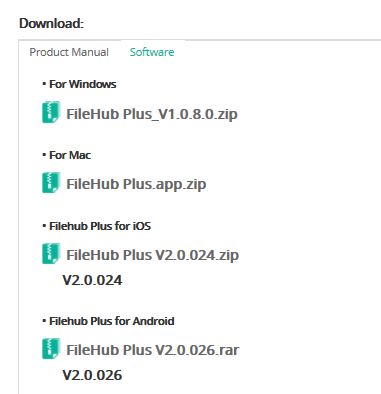
You need to download software (from www.RavPower.com) for the device and they have software to go with the iOS, Windows, Android and Mac Platforms. Since I needed file transfer capability from both Lumia 950 and iPhone 6S, I downloaded the required files shown in this image.


FileHub Plus_V1.0.8.0.exe   Windows
FileHub Plus V2.0.024.ipa   iOS


Basic set up for file transfer:
  • Install the Windows version of FileHub Plus.
  • You connect your storage device to the Filehub with a USB Cable. The storage device in this case is the My Passport ULTRA from Western Dynamics.

  • Turn on the Filehub device and hold the power for the Wi-Fi indicator at the ceenter of the device above the power button. In the beginning it will flicker and then becomes steady.
  • Now turn on your PC which is connected to a Wi-Fi network. Refresh the Wi-Fi Connections.

RP-WD03_01.jpg

Run the downloaded executable (FileHub Plus_V1.0.8.0.exe) and the login window is displayed and hit the center REFRESH button. The device is discovered

 
RP-WD03_02.JPG

Highlight the device in the above and click Log In button to display the FileHub Plus login screen. Just click Login as the password is empty (you can change it later if you wish to).


RP-WD03_03.JPG

The password is blank and remove if any characters are in this field. If there are no errors then you should see this FileHub Plus dashboard.


RP-WD03_04.JPG

Click on Settings and review the Settings menu.


RP-WD03_05.JPG

The next image shows that I can connect to two of my windows devices on the Wi-Fi (from Network DNS Clients).

RP-WD03_06.JPG
The basic set up is very easy and with the dashboard which is nicely arranged you can test out the other file operations.

Problems encountered in file transfer.

The app cannot find the local files.


Wednesday, April 13, 2016

Do you want to build real time communication apps in JavaScript?

You can use Intel XDK together with Intel Collaboration Suite for Web RTC to build the real time communication apps.

With Intel Collaboration Suite for Web RTC (Intel CS for WebRTC )it is possible to build apps for real time communication over the web.

You need to use the Intel CS for WebRTC SDK built on top of W3C standard for WebRTC. You can create apps for broadcast, peer-to-peer and apps for conference.

To cater to the major OSs and HTML, the SDK is available in four versions one each for:

  • Android
  • JavaScript
  • iOS
  • Windows
There is a server that you need to get used to:
Intel CS for WebRTC Conference Server that provides the Video Conference Service that streams the service to many end points with the following quoted features:

  • High performance, VP8 and H.264 real-time transcoding with Intel® Iris™ Pro and Intel HD Graphics
  • Scalable multipoint control unit (MCU) server
  • Efficient mixing of HD video streams for saving bandwidth and power on mobile device
  • Intelligent QoS control mechanism that adapts to different network environments
If you are building with JavaScript there are browser requirements and you should get this:
CS_WebRTC_Client_SDK_JavaScript..zip .


More information available here:
http://software.intel.com/en-us/webrtc-sdk

Wednesday, March 30, 2016

What is Unity? Where can I get it?

If you are a game developer, I suppose you may not even read this post. Unity is a multi-platform, 2D/3D game development engine and you can learn about it here (unity3d.com).

It is supported on most platforms and a leader in game development. With just one click you can deploy to:
  • Mobile - iOS, Android, Windows and Tizen
  • VR
  • Desktop
  • Web
  • Console and 
  • TV platforms.

Here are the platforms to which you can deploy the games.


Unity_01

If you are developing for the mobile area it has lots of built-in stuff:
  • One-click deployment to Android, iOS, Windows Phone, and Tizen.
  • Tons of optimizations thanks to features like occlusion culling, asset bundling, and build size stripping.
  • World class monetization and retention services for mobile games.
  • Dedicated, easy to use 3D and 2D tools and workflows.
Unity for VR and AR is already garnering from most vendors shown here:

Unity_02

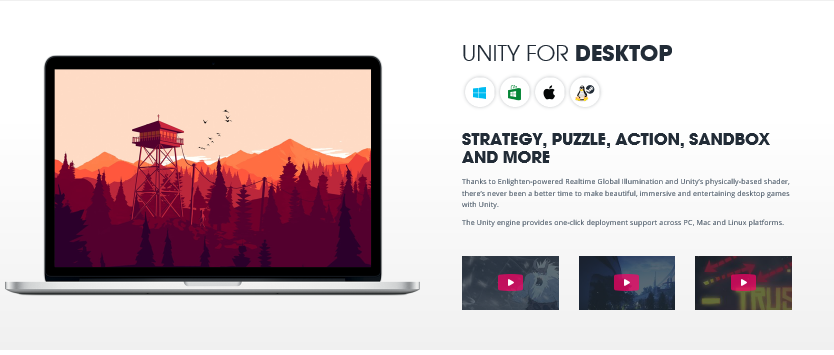
You can develop very immersive and entertaining games for the desktop be it Windows, Mac or Linus/StreamOS

Unity_03

If you have game console such as XBOX, PS4, Wii and 3DS they are covered too:


Unity_04

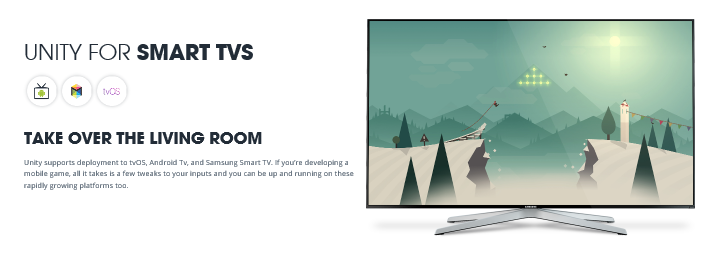
I have a Samsung TV can I deploy? of course you can. Unity supports these Smart TVs as well:
Android TV
Samsung TV
Apple TV

 
Unity_05

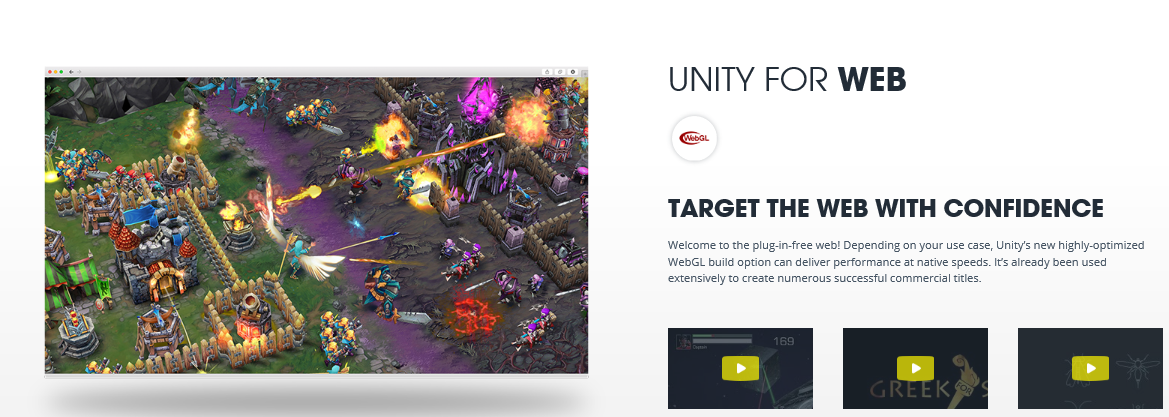
Now what about Web?

Of course you can target the Web and it has already been used commercially.


Unity_06

Hay! What are you waiting for? Download.

Why fret?
Download the free stuff
Just to get your feet wet

Don't huff and huff!

Get the free stuff here:
http://unity3d.com/get-unity


If you like it and if you can work with it, go and get the professional.
If you are going to work with Microsoft's latest, Hololens, also get the Visual Studio 2015 Community. It is already integrated to work with Hololens and you can get your Unity projects into it.

Let us Game!

Source: Pictures and some language taken from Unity site.

Monday, October 12, 2015

What is Universal Windows Platform?

You will be hearing about this more and more as Windows 10 devices start appearing in increasing numbers that may reach billions.


Before Windows 10, the OS was Windows 8.1 and there were two devices
that were targeted by code:
  • Windows
  • Windows Phone
Developers created Universal Windows 8 apps using a shared codebase. For
this the Windows Runtime (WinRT), an evolution of the Windows app model
was introduced as a common application architecture.

With Windows 10 that has changed. Now there are a number of devices for
which you need to code has increased. Hence Universal Windows Platform
(UWP) was born.

WinRT gets evolved to be integrated with Windows 10 Core. This core
provides a common platform for every device that runs Window 10. UWP now
calls WinRT common for all the devices PLUS also APIs(Win32 and .NET)
that are specific to the device family the app runs on. Thus UWP
provides a guaranteed core API layer for all devices.

What it means is that your can be deployed to the device type you are
using. All devices use the same runtime but have their own unique API determined by the device type. The code access for those unique APIs specific to the device are conditional.

Note: Images are from Microsoft Site.

Monday, May 11, 2015

How do you obtain JSON formatted response to a SQL Query?

There are two ways you can do this as per my experience, but there could be more ways.
One method I found was to install the DocumentDB Migration tool from Microsoft and launch the program to convert the SQL Query response to a JSON format.

The details of the migration tool and downloading the tool are described here:

http://hodentek.blogspot.com/2015/05/tips-and-trick-to-format-sql-reponse-in.html

A step-by-step description of how it is done is described here:

http://hodentekmsss.blogspot.com/2015/05/migarting-from-sql-to-json-using.html

The second method is to download a software tool called SQL-JSON from the internet and use the tool. This tool can run both on Windows and Apple Mac OS. It can be used with SQL Server 2008 and SQL Server 2012 and requires Java Runtime 6 or 7.

The download link is here:
http://www.sqljson.com/index.html

Thursday, December 19, 2013

Can you run Windows on MAC?

Yes you can. Virtualization makes it possible

Parallels has come out with Desktop 9 for MAC which makes it easy to run both operating systems on a MAC. It costs around $80 presently.

Here is a video from Parallels you want to see:


Follow up on this link for details:
http://www.parallels.com/products/desktop/