It is an app (program) that empowers you to have credit card convenience, without the card. It is supported on many contactless payment terminals. This tapping to a terminal charges the purchase to your default credit or debit card. You can get it from Microsoft Store.
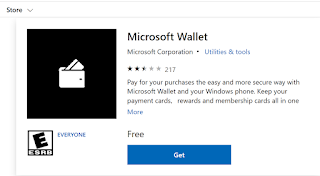
You can store as many credit cards and debit cards as you want in Microsoft Wallet. It is very easy to purchase with your card of choice. You can change what card you want to charge, but just tapping.
 Besides credit cards you can store other types of cards such as library cards, memberships cards etc.
 When you pay for purchases the wallet does not shared your credit card number with the retailer. That's a good one.
Tapping starts a single-use transaction number and an encrypted security code that will not work on any other purchase, person or device. You use your device pin to make a purchase to unlock your phone.
Loosing a phone is not like loosing your card numbers. The credit card numebrs are not stored in the phone but make sure you remember your pin. You can show yoru phone on a map and you can lock it or erase it remotely.
It is accepted by many banks and card types.
 Here is my Microsoft Wallet on Microsoft Lumia 950:


You can store as many credit cards and debit cards as you want in Microsoft Wallet. It is very easy to purchase with your card of choice. You can change what card you want to charge, but just tapping.


Tapping starts a single-use transaction number and an encrypted security code that will not work on any other purchase, person or device. You use your device pin to make a purchase to unlock your phone.
Loosing a phone is not like loosing your card numbers. The credit card numebrs are not stored in the phone but make sure you remember your pin. You can show yoru phone on a map and you can lock it or erase it remotely.
It is accepted by many banks and card types.


