Showing posts with label Java Control Panel. Show all posts

Thursday, October 22, 2015

How do I find the Java Control Panel in Windows 10?

Java is a key program which is widely used and you invariably need Java on your computer. Microsoft Windows is another equally important operating system and with Windows 10 and the new Microsoft browser, Microsoft Edge, one of course need to know about how Java works on Windows 10.

Finding Java Control Panel
Go to Control Panel | Programs
You will find Java
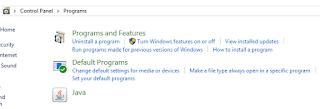
CPL_Java1.png
Click on Java. Java Control Panel opens as shown.
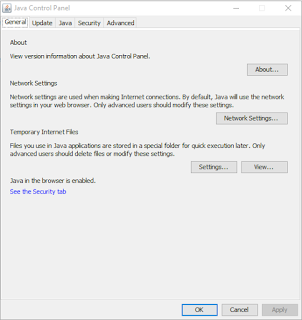
CPL_Java2.png

This is how it is registered in the Windows Registry.


CPL_Java3.png

This advice is from Java web site.
From Windows Search, type in Java. In the search results, select Configure Java. The Java Control Panel will appear.

Friday, July 3, 2015

How do you add an URL to the exception site list to run a Java Application?

I recently wanted to access an online java application  which had only a self-signed certificate. Since the application required a Java version higher than the one I had, I installed the Java 8 Update 45 (April 15 release). The installation removed the older versions successfully.

The following warning suggested that I put the web site on the Exception Site List.


However starting with Java 8 Update 20, the medium security level has been removed from the Java Control Panel. Only high and very high levels are available.

In order to run an application with a self-signed certificate, the application's URL must be added to the exception site list.

"The exception site list provides users with the option of allowing the same applets that would have been allowed by selecting the Medium option but on a site-by-site basis therefore minimizing the risk of using more permissive settings."

In order to place the URL on the exception site list, Open the Java Control Panel. As this is a Windows 8 computer you can get a link to the Java Control Panel in the Windows Control Panel. The Java Control Panel opens as shown.


JavaControlPanel1

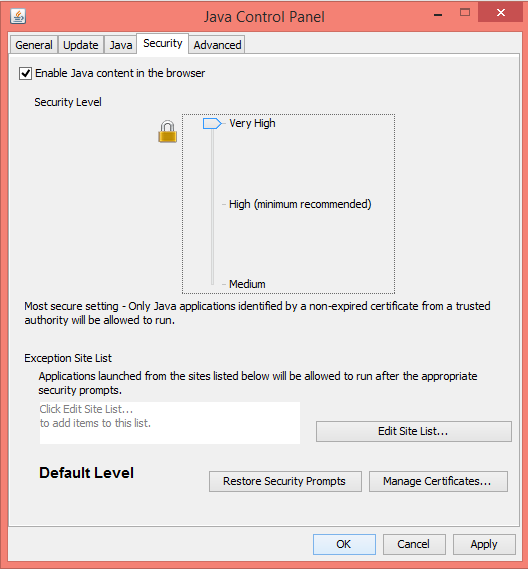
Click on the Security tab to display the following, the default is very high.

JavaControlPanel2

Click on the Edit Site List... to open the following:

JavaControlPanel3

You can add an item to the list (presently empty) by clicking the Add button. The recommended protocol is HTTPS, but you can also add HTTP and FILE protocols as long as you are sure they are safe.

You need to type in the URL as shown and click OK.

JavaControlPanel4

Now although the site has only self-signed certificate you can still run the Java program.

What is Java Mission Control?


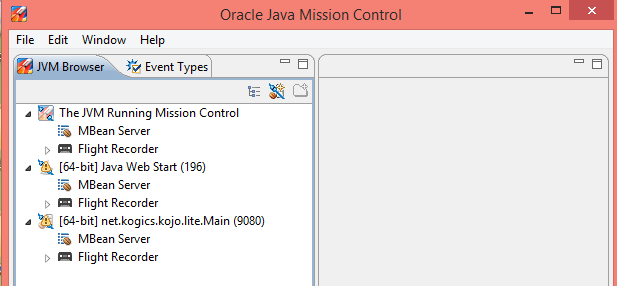
Java Mission Control provides you with the tool to troubleshoot your java applications. Using Java Mission Control(jmc) you can manage. monitor and profile Java Applications.

When you install(jmc)( this got installed when I did a Java Update to Java 8 Update 64). I had Java Updates 25 and 71 and these got removed by the Java 8 installed from here (http://java.com/en/download/manual.jsp).

By installing Java Mission Control, Java Flight Recorder Tool gets installed by default and it records the behavior of JVM at runtime and analyzes the records off line.

You can also install the JMX console that monitors the Java application at runtime and other specialized plug-ins to extend the functionality of JMC.

Here is the JMC UI.