Wednesday, June 10, 2020

Have you installed the new Microsoft Edge?
There is always a promise that 'this is the best and greatest browser'. The truth is the browsers so far have had problems which surfaced slowly. No matter what the bench mark tests, the final result was always disappointing. One classic problem in the browser that I had before the new edge was the UI.
You get the login page of a bank and you enter your credentials. Assume you mistyped the password and you refresh again to correct your mistake. The next page you get has the password's field disabled. The only was to get to your bank is open either your Chrome or Mozilla. More often, you find yourself unable to cut and paste into the URL. I used to catalog the problems and finally gace up!
Anyway, I decide to install and use it. Here are a few screen shots of what you can do with it.
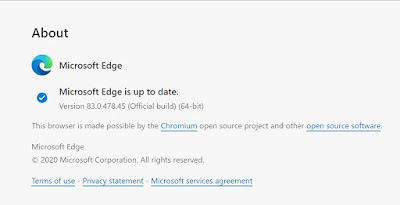
This the version presently installed.
Favorites, Extensions and Collections


You get the login page of a bank and you enter your credentials. Assume you mistyped the password and you refresh again to correct your mistake. The next page you get has the password's field disabled. The only was to get to your bank is open either your Chrome or Mozilla. More often, you find yourself unable to cut and paste into the URL. I used to catalog the problems and finally gace up!
Anyway, I decide to install and use it. Here are a few screen shots of what you can do with it.
This the version presently installed.

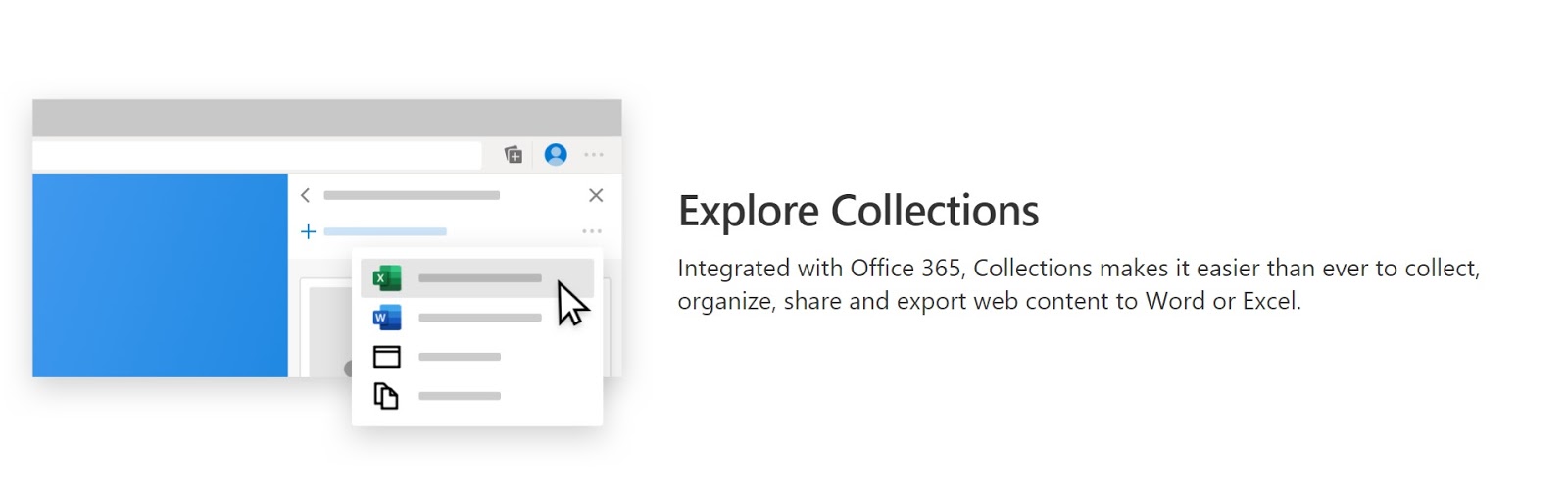
Favorites, Extensions and Collections


Are collections different from bookmarks? if so, How? Retiring bookmarks?


IE browser had better times but it has been largely replaced (too small to show in PIE chart).

Sunday, June 7, 2020
How do you extract financial data from the web using MS Excel?
I know a couple of ways. I describe two of them.
First Method:
Excel has a built-in data type called Stock that you can use.


StockDataType-0.png
This allows you to do most things with the stock portfolio.
Details here:
https://hodentek.blogspot.com/2020/05/three-easy-steps-to-work-on-your-stock.html
Although you can get most information of a stock, still some data such as 'dividned' is not available. Microsoft may change and add this as well.
Second Method:
It is easy to import financial data from a site such as Yahoo. The following steps show with step-by-step screen shots how you may get the data in the Yahoo's web page. The next screen shown uses the ribbon to get data from WEB.


 Well. have patience.


First Method:
Excel has a built-in data type called Stock that you can use.


StockDataType-0.png
This allows you to do most things with the stock portfolio.
Details here:
https://hodentek.blogspot.com/2020/05/three-easy-steps-to-work-on-your-stock.html
Although you can get most information of a stock, still some data such as 'dividned' is not available. Microsoft may change and add this as well.
Second Method:
It is easy to import financial data from a site such as Yahoo. The following steps show with step-by-step screen shots how you may get the data in the Yahoo's web page. The next screen shown uses the ribbon to get data from WEB.

In the URL type in the Yahoo URL for the Quote page filtering MSFT (Microsoft).
Click OK and you may need to wait it out.

Stick with anonymous. That's OK. I
In the above, click Connect.


The Navigator shows up.

All that remains is for you to choose the data in the web page.
The following are the ones for Document, Table1, Table2 and Table 3.


Table 2 has the Dividend information.
Wednesday, June 3, 2020
Which companies are likely to provide a vaccine for the Covid-19 virus?
Here is a list of vaccine hopefuls to combat the new coronavirus Covid-19.
https://www.benzinga.com/analyst-ratings/analyst-color/20/05/16056298/these-6-coronavirus-vaccine-candidates-are-the-likeliest-to-succeed-says-morgan-sta


According to BGR, a leading online destination for news and commentary focused on the mobile and consumer electronics markets, these are the companies/institutions that are further in bringing in a vaccine for the coronavirus.
According to Fauci, the new coronavirus is not addressed by a vaccine that can provide lifetime immunity and, at best it can provide immunity up to 12 months. It appears to change with time just like the cold virus. He notes with optimism that 100s of millions of doses may be available by 2021.
https://bgr.com/2020/06/03/fauci-vaccine-comments-coronavirus-immunity-length/
Sunday, May 24, 2020
How do you use the stock data type in MS Excel?
This is the easiest way to work on your stock holdings using Excel. The stock data type is awesome. Just one entry in a cell gives everything you want to know about your stock. You can build applications with it, but I will show you how to do it in three simple steps.
Step 1. Open a cell and enable it for stock data type using the Data menu.



Step 1. Open a cell and enable it for stock data type using the Data menu.

Step 2: Open a cell or cells (I am just showing ROKU in one cell). You can type in stock ticker symbols in any number of rows in the same column. Highlight the column each row of which contains a ticker symbol and click Stocks in the Data Menu. By the way, I just typed ROKU and it changes to Roku Inc.(XNAS:ROKU)

Step 3: Now you pick the items you want to see in the little icon with a + in green. I choose Price (scrolling down this list) and in the adjoining column the current price will be displayed. You can see other items like 52 Week high, 52 Week low, Industry, etc.

I have added 5% down, 15% down of the stock I sold on a particular date, etc. if you are interested in using it for trading. you could also have a link to your investment account and trade as easily.
Monday, May 18, 2020
How do you hide and unhide worksheets?
You can hide and unhide all columns in an Excel worksheet as shown in the following images:
I will hide all columns in HideAll.xlsx by clicking in the corner as shown. All cells are highlighted.

Now I go to the VIEW menu and click Hide.


Now I go back to VIEW and click on View to activate the Unhide submenu item.

I click the Unhide button and I get the window for unhiding where I can choose to unhide the file.

I will hide all columns in HideAll.xlsx by clicking in the corner as shown. All cells are highlighted.

Now I go to the VIEW menu and click Hide.

Now everything is hidden. Notice even the worksheet name.


Click on HideAll.xlsx. The HideAll.xlsx is displayed showing all columns and rows.
Wednesday, May 13, 2020
How do you query data in a MS Excel Worksheet?
Excel has a tool called Power Query which can be used to query data from many data sources, external data sources, or a source in an Excel worksheet, such as a table.
Here are the types of external data you can query using Excel.
Power Query Data Sources
Web page
Excel or CSV file
XML file
Text file
Folder
SQL Server database
Microsoft Azure SQL Database
Access database
Oracle database
IBM DB2 database
MySQL database
PostgreSQL Database
Sybase Database
Teradata Database
SharePoint List
OData feed
Microsoft Azure Marketplace
Hadoop File (HDFS)
Microsoft Azure HDInsight
Microsoft Azure Table Storage
Active Directory
Microsoft Exchange
In the present post, you can see how you can query data in a worksheet, using Power query.
The following three steps show how you may do it.


Now I clicked Data and Query and Connections. I then clicked the option From/Table Range to Open the Power Query Editor.
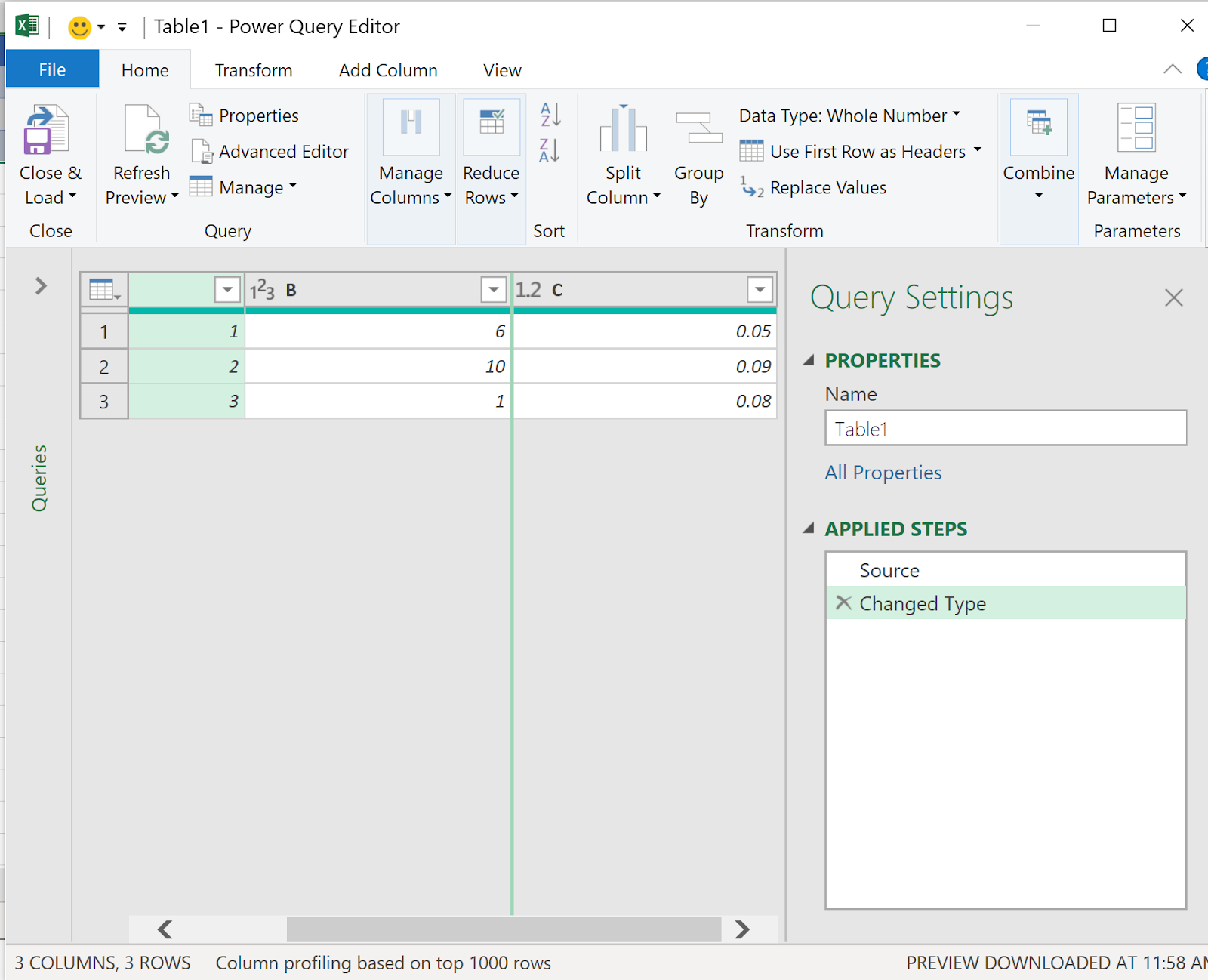
Now it is straight forward to query the Table in Excel worksheet.
More on Power Query here:
https://support.office.com/en-us/article/introduction-to-microsoft-power-query-for-excel-6e92e2f4-2079-4e1f-bad5-89f6269cd605
Subscribe to:
Posts (Atom)