This is the classic example of getting out of one problem and getting into another.
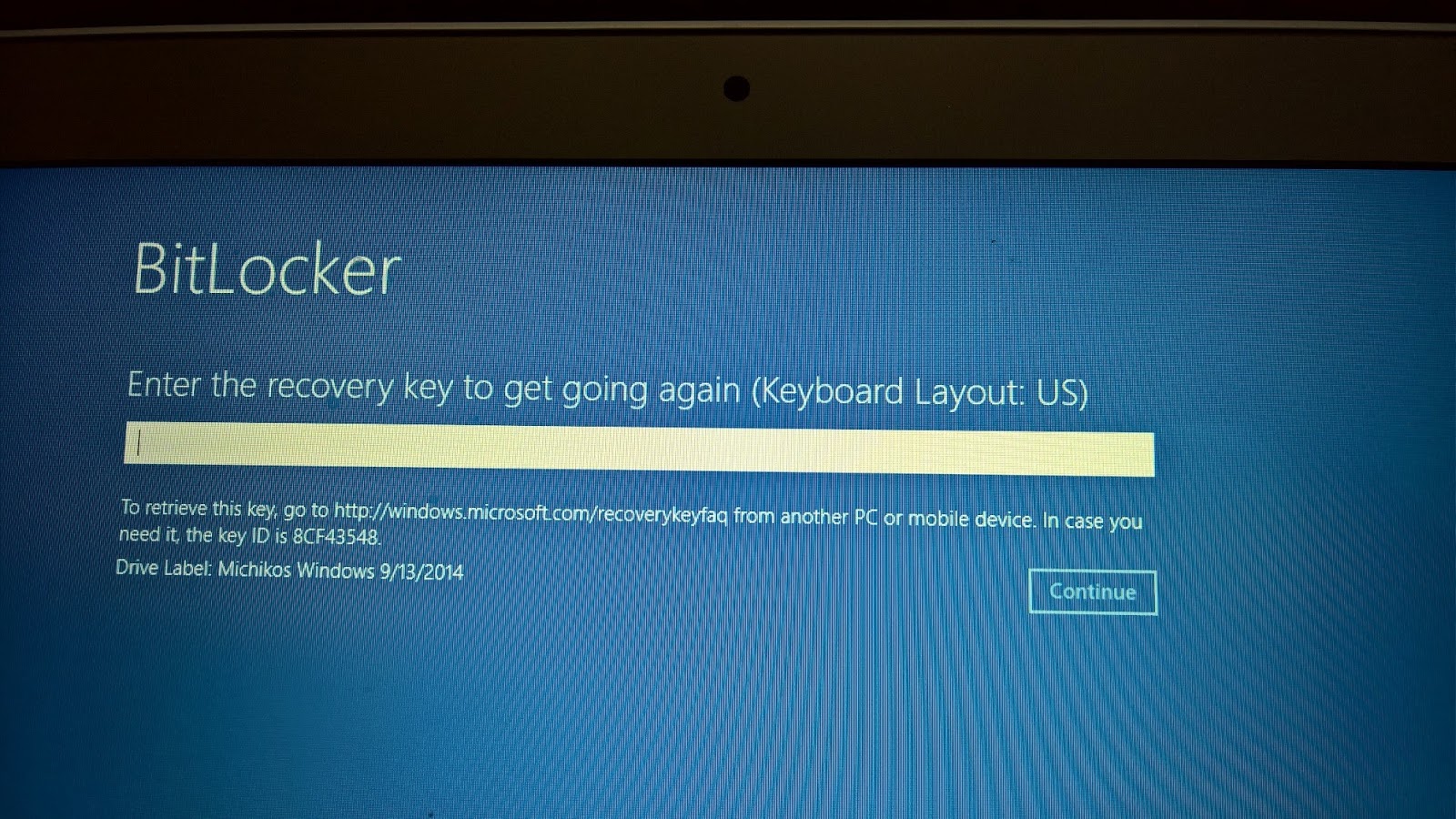
I had the virus problem (probably the ransomeware except that I did not click on any link and the threatening page did not go away after a reboot, etc.) on my Toshiba tablet with Windows 10 and decided to System Reset to clean the tablet. It went through the process and now requesting entering of a recovery key. There is a Key ID on the tablet (8 alphanumeric characters) and if I try to enter I get a basic numeric keypad like on a calculator with keys marked with only numbers.
It may work if I can enter. But how can I enter this 8 character ID using this calculator-like numeric keypad? and Drive Label with a date.

The tablet is on a Wi-Fi network with 3 other laptops (two running Windows 10 Pro and the other Windows 7 Pro)
It turns out that I am supposed to have a key and what was shown above was the KeyID (only the first part of it). The key itself is all numeric with 48 characters.
Finally I used the manage-bde commandline command to see what is going on.
Finally using manage-bde, I could find out that I have only the recovery key id without a recovery key.

What surprises me is that I never meddled with BitLocker as I do not have great secrets to guard. How come the BitLocker was locked in the first place? I toook the tablet to the Microsoft Store where they might be able to find some thing.
It is not I don't have a key, I believe there never was one!
It is still puzzling, that since I did not lock the machine with BitLocker, who did?
According to Microsoft Store, when I signed into Microsoft Account the BitLocker by default locks it. It did not seem credible to me. I did not get the impression the technician was fully conversant with BitLocker. I avoided BitLocker for the simple reason, I did not want another layer of complexity to my files/folder that do not contain sensitive information.
One of the members of Microsoft Forum provided some background information of BitLocker's evolution. This is what might have happenned (his words):
"Earlier, Microsoft used to enable bitlocker on the home version of windows if
A a microsoft account was used
B the computer fulfilled the hardware requirements (TPM chip, instant-go compatible).
That was quite an idea... they even shot the recovery key through the network in plain text - some german IT magazine ("IX") discovered that. By now, they stopped it."
I had the virus problem (probably the ransomeware except that I did not click on any link and the threatening page did not go away after a reboot, etc.) on my Toshiba tablet with Windows 10 and decided to System Reset to clean the tablet. It went through the process and now requesting entering of a recovery key. There is a Key ID on the tablet (8 alphanumeric characters) and if I try to enter I get a basic numeric keypad like on a calculator with keys marked with only numbers.
It may work if I can enter. But how can I enter this 8 character ID using this calculator-like numeric keypad? and Drive Label with a date.
The tablet is on a Wi-Fi network with 3 other laptops (two running Windows 10 Pro and the other Windows 7 Pro)
It turns out that I am supposed to have a key and what was shown above was the KeyID (only the first part of it). The key itself is all numeric with 48 characters.
Finally I used the manage-bde commandline command to see what is going on.
Finally using manage-bde, I could find out that I have only the recovery key id without a recovery key.

What surprises me is that I never meddled with BitLocker as I do not have great secrets to guard. How come the BitLocker was locked in the first place? I toook the tablet to the Microsoft Store where they might be able to find some thing.
It is not I don't have a key, I believe there never was one!
It is still puzzling, that since I did not lock the machine with BitLocker, who did?
According to Microsoft Store, when I signed into Microsoft Account the BitLocker by default locks it. It did not seem credible to me. I did not get the impression the technician was fully conversant with BitLocker. I avoided BitLocker for the simple reason, I did not want another layer of complexity to my files/folder that do not contain sensitive information.
One of the members of Microsoft Forum provided some background information of BitLocker's evolution. This is what might have happenned (his words):
"Earlier, Microsoft used to enable bitlocker on the home version of windows if
A a microsoft account was used
B the computer fulfilled the hardware requirements (TPM chip, instant-go compatible).
That was quite an idea... they even shot the recovery key through the network in plain text - some german IT magazine ("IX") discovered that. By now, they stopped it."
