For security reasons this feature is turned off and you must enable it.
In a newly installed server if you run stored procedure in the context of
msdb
EXEC sp_send_dbmail
You get the following message:
'Msg 15281, Level 16, State 1, Procedure sp_send_dbmail, Line 0 [Batch Start Line 9]
SQL Server blocked access to procedure 'dbo.sp_send_dbmail' of component 'Database Mail XPs'
because this component is turned off as part of the security configuration for this server.
A system administrator can enable the use of 'Database Mail XPs' by using sp_configure.
For more information about enabling 'Database Mail XPs', search for 'Database Mail XPs' in
SQL Server Books Online.
'
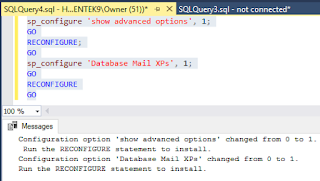
This is how you enable Database Mail extended Procedure:
-----------
sp_configure 'show advanced options', 1;
GO
RECONFIGURE;
GO
sp_configure 'Database Mail XPs', 1;
GO
RECONFIGURE
GO
---------------
----------
Now run this statement.
EXECUTE msdb.dbo.sysmail_help_status_sp
You get this response:
DatabaseMail_1.png
You will find the
dbo.sp_send_dbmail stored procedure in the
msdb database.
DatabaseMail_2.png
You will find all these objects in the msdb database in the
Stored Procedures and
Views nodes.
DatabaseMail_3.png


